Your SM58 or SM7B recording sounds… OK. Clean. Honest. Nobody would call it "produced".
TRANSMIT is here to fix exactly that.
TRANSMIT is the chain broadcast engineers have built for talk radio for decades: a little cleanup, a level rider, tone, weight, and a leveler so every word lands in the same place. The radio-studio sound people associate with an RE20 is mostly that chain. The mic is the easy part.
The difference here is that you don't build the chain. You turn a single knob.
The close-mic chest and warmth that makes a voice feel present instead of thin.
Every syllable lands. Quiet asides come forward, shouts stay in the room.
Presence and air on top, without the harsh, spitty edge.
Guest, host, intro, outro: it all sits at the same level.
Drop it on your voice track, set the knob where it sounds right - done. And on the master track: TRANSMIT Master.
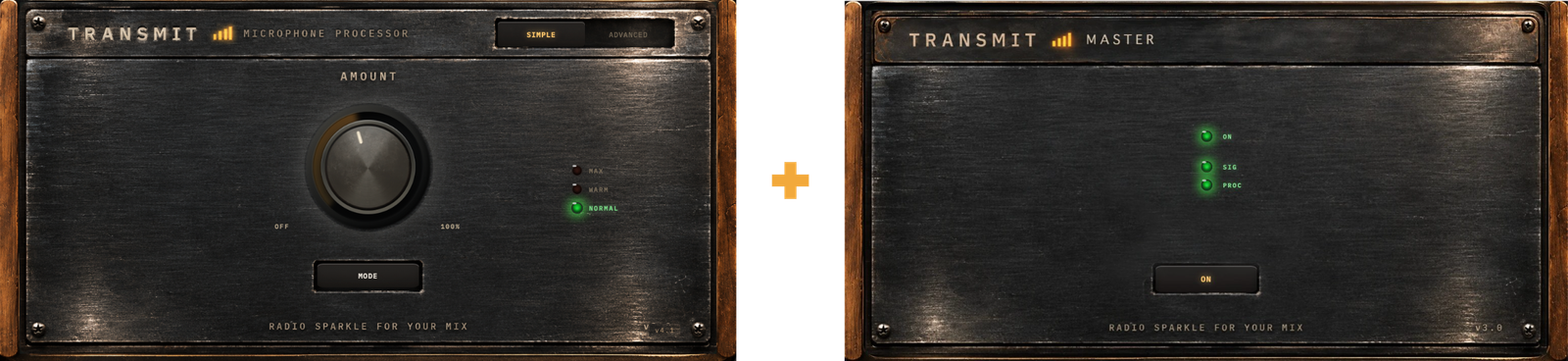
TRANSMIT Master: No controls.
It makes the whole episode sound like it belongs on air.
TRANSMIT Master is the last box in the chain, the one a radio station puts before the transmitter: whatever comes down the line, news after music after a phone-in, comes out nice and steady, sounding like one station. It does that for your episode, and helps your content cut through traffic, a noisy café, or even sound reasonable on bad headphones.
Just drop it on your master track, that's it. You'll sound loud, stable and clear.
More on how it works under the hood.
Before and after, on a real voice.
Headphones or decent speakers, if you have them. The difference is in the weight and the steadiness more than in anything obvious.
Watch on YouTubeWhich one do I download?
Both TRANSMIT and TRANSMIT Master; they're a pack. TRANSMIT on the voice track, Master on the master track. Dynamics only if you know you want it.
Do I need both?
They work best together, without any further tuning. TRANSMIT makes the voice sound like radio; Master makes the whole episode, voice, music, guests and all, sit at one steady level. You can run either alone, but the pack is the point.
Will they clean up my noisy room / echo / traffic?
No. TRANSMIT polishes good recordings; it isn't a restoration tool. Master won't do much good on a noisy mix either: it's built not to pull the noise up, but it can't take out what's already there. See "What TRANSMIT is not".
Will it work on a cheap USB mic?
If the recording is clean, close and not clipping, usually. The room and the technique matter more than the mic.
Do they work on music?
TRANSMIT is tuned for speech; try it on a sung vocal if you like, but that isn't what it was built for. Master is fine with the music in your episode, intro, bed, outro, because that is exactly what a station's processor had to handle. It isn't a music mastering tool.
Which DAWs?
Any 64-bit VST3 host on macOS or Windows: Reaper, Cubase, Studio One, Ableton Live, Adobe Audition and others. Both plugins, same formats. No AU build, so not Logic Pro.
What's the latency?
TRANSMIT: about 35 ms. Your DAW compensates automatically while editing and mixing. Live, you'll feel it; monitor your raw input instead.
Which TRANSMIT setting should I use?
SIMPLE, NORMAL, and turn AMOUNT until it sounds right — it opens at 40 %, which is a good place to start. If that sounds right, that's my chain at my settings. Try WARM if you want more chest, and MAX when you want the full late-night radio caricature. Go into ADVANCED only if you're curious.
If I set things in ADVANCED, does SIMPLE wipe them?
No. SIMPLE never writes over your ADVANCED settings. Flip back and they're still there.
What do I set on Master?
Nothing. There are no controls. Drop it on your master track, after everything else, and leave it.
Does Master hit a loudness target?
No fixed number. It adapts to the material, the way a station's processor did, and comes out loud, stable and clear. If you have to meet a loudness standard for your platform or region, check the finished file with industry standard tools.
Can I switch Master off to compare?
Yes. The one switch on the panel is the bypass.
Read this before you download.
TRANSMIT is not a repair tool, and it is not a restoration tool. It polishes recordings that are already reasonably good. Traffic, a boomy room, clipping, wind, a laptop fan next to the mic: no plugin in this category fixes those. Fix the recording.
The noise reduction is there for one reason: broadcast processing squeezes hard, and squeezing turns up the room tone between words. TRANSMIT's cleanup holds that floor down so the compression can do its job. It is a counterweight to the processing, not a cleaner for the recording. On a track that was noisy to begin with you will hear it working, and you won't like it.
What "reasonably good" means
A decent dynamic mic (SM58, SM7B, RE20, or similar), close to your mouth.
A quiet-ish room. Not a treated studio. Just not a bathroom or a café.
A healthy level with no clipping.
If that describes your recordings, TRANSMIT should do its job. If it doesn't, start with the recording.
The same goes for Master. It finishes a good mix; it won't rescue a bad one, and it won't do much good on a mix with a lot of background noise. It's built not to pull the noise up the way a conventional compressor does, but it can't take out what's already there. And it will not help you abide by the loudness regulations or standards in your area, industry or platform; there is no target to set, so if you have to hit one, use industry standard tools.
For you if:
- You're a podcaster, narrator, or voice creator who wants a produced sound without learning what a compressor ratio is.
- You have a good mic and a decent room, and your episodes still sound flatter than the shows you admire.
- You produce other people's shows and want a fast, consistent talk chain for every voice.
- You want the finished episode to come out loud, stable and clear without learning what a loudness standard is.
- You finish other people's shows, or you come from radio and want the podcast to sound like the station did.
Not for you if:
- You're trying to rescue a damaged or noisy recording.
- You need a music vocal chain. TRANSMIT is tuned for speech.
- You already have a tuned chain you love. Keep it.
- You work in a professional broadcast facility and need to meet regulation requirements or region-specific industry standards.
How they work
The plugin opens here. Most people can stay here.
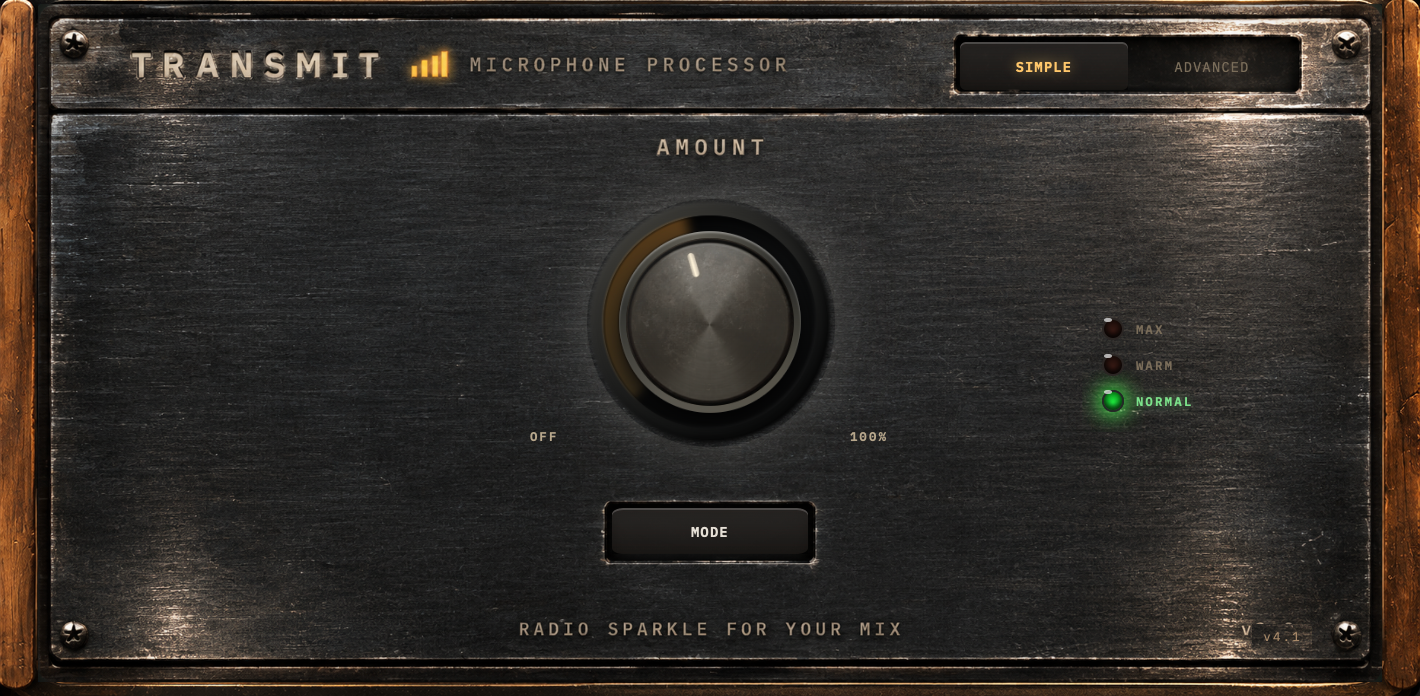
One big knob, OFF to 100 %, and nothing to learn. It opens at 40 %, where I would start on a voice I had never heard. Turn it up and body, punch and sparkle move together; turn it down toward OFF and the processing blends out until the plugin does nothing at all. There are no detents and no right answer marked on the dial. Turn it until the voice sounds like you want it. Half way is straight up, if you want to land there.
Below half way the output level is held steady, so you're judging the sound, not being fooled by "louder is better." Above it the level climbs, a brickwall limiter at −3 dBFS stops the peaks, and a level rider keeps the voice up where a broadcast chain sits.
Beside the knob is a column of three lamps, read bottom to top like a traffic light, and a MODE button that walks up it. The knob is the amount; the lamps are the character. Pick the voice, then decide how much of it.
NORMALThe everyday setting, and where the plugin opens. Clean, forward, unfussy. It also has the firmest hand on sibilance of the three, from early in the knob's travel.
WARMThe same idea with more chest and a softer top. For a thin voice, a small room, or when NORMAL sounds a touch clinical to you.
MAXThe caricature, on purpose: the over-the-top radio voice, for when the joke is the point. Dense, even thump, more air on top, and a leveler that grabs every peak before it lands. Everything MAX adds fades in with AMOUNT, so a low setting is still a light touch.
What the knob actually moves
AMOUNT is not a wet/dry blend of one fixed sound. It drives a dozen settings across the chain at once, each on its own curve: body (a low shelf plus the saturator's warmth, with a matching dip so the extra chest reads as thump, not mud), punch (the tone stage's drive with the leveler's ratio and threshold) and sparkle (presence, a lift at 7 kHz and air on top). Low on the knob a slight dip around 1 kHz opens the sound up a little; it has faded out by two thirds of the way up. Below 20 % the processed signal is crossfaded against the untouched input, and OFF is exactly off.
Behind the knob, SIMPLE also runs a self-adjusting expander that tucks the gaps between your phrases, its own level rider that holds still under −45 dBFS so it never lifts room tone, and an always-on cleaner that works in the gaps and backs off while you speak. You don't set any of that. It follows your voice.
Flip the switch in the header and the panel opens up. Every control is a preset in plain English.
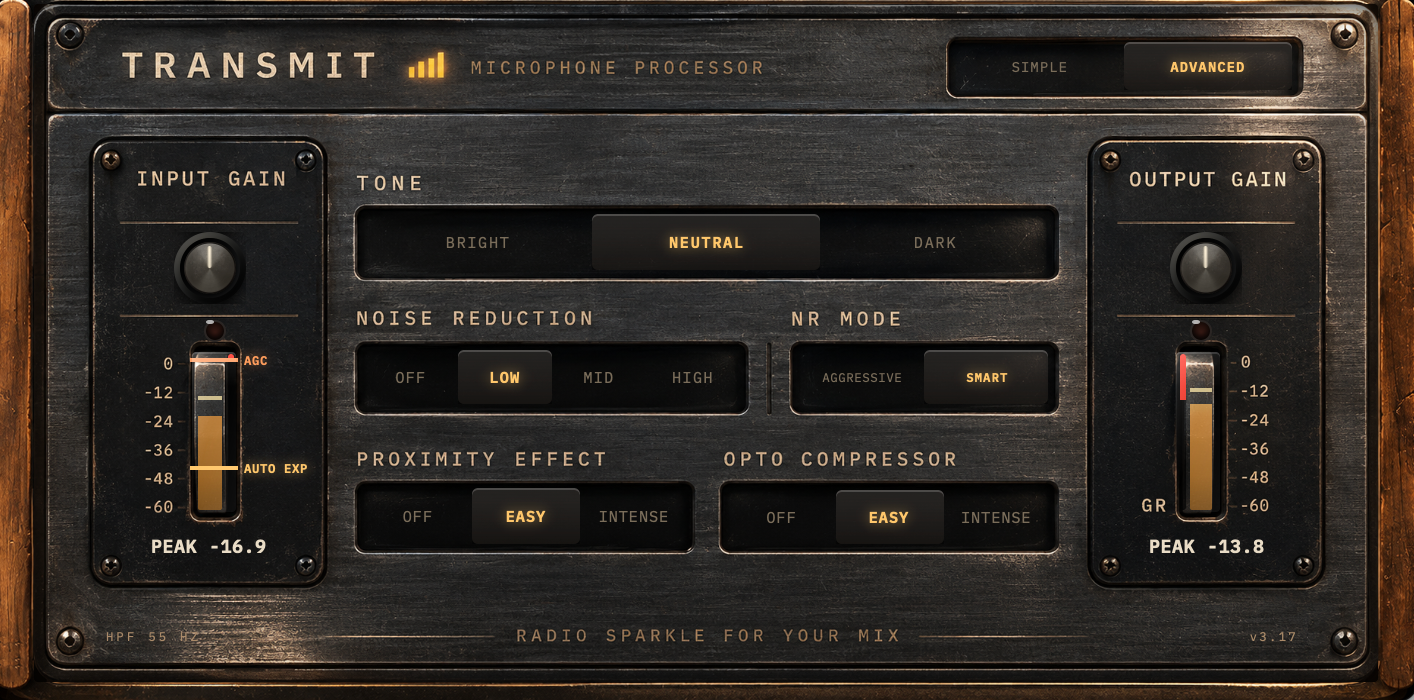
IN / OUT
Trim knobs above the meters. The readout shows the peak, or the knob's value while you turn it; the OVR lamp flashes when you hit the top (on OUT, also when the limiter is working). Set IN so the meter sits healthy; use OUT to match your other tracks.
The red strips
Beside IN, a red strip shows how much the expander is tucking away between phrases. Beside OUT, one shows the total gain reduction of the whole chain. If it sits deep all the time, back off.
EXP
An amber line across the input meter: the expander's threshold, the thing that tucks room noise between phrases. Its label rides with the line; click it to switch between:
AUTO EXPthe line follows your voice, parking a little under your speaking level. The default.
EXP OFFexpander bypassed; the line dims.
AGC
An orange line on the same meter, riding with the automatic gain control. At its resting mark it's adding nothing extra; higher it's lifting, lower it's pulling you down. Click the label to switch between AGC and AGC OFF.
Tone: Bright / Neutral / Dark
The voice EQ. BRIGHT is the signature sound with extra sparkle on top (and a high-pass at 85 Hz, so it never comes with rumble). NEUTRAL takes a little off the top. DARK tilts it down for sibilant voices or bright mics.
Noise reduction: Off / Low / Mid / High
How much floor to remove. MID is the default; HIGH is for a recording where the processing exposes a floor you couldn't hear before.
NR mode: Smart / Aggressive
SMART cleans in the gaps, backs off under your voice, and stays in the hiss band above it. AGGRESSIVE keeps the full depth on at all times across the whole band, for when the floor is the bigger problem and you'll accept hearing a little of the cleanup.
Proximity: Off / Easy / Intense
The close-mic chest boost plus warmth; a lot of the "RE20 in a radio studio" feeling. It adds thump around 80 Hz and trims the 200 Hz region that turns chest into mud, with a guard that ducks plosives and desk thumps. EASY for most voices; INTENSE for thin voices or the big late-night sound.
Opto: Off / Easy / Intense
The optical leveler that rides the level word by word. EASY is a gentle hand. INTENSE grabs harder, recovers fast, and gives the audible radio ride; it also switches in the −3 dBFS limiter, so you can push OUT into it.
Every control on the panel writes to one of 81 underlying parameters, all visible in your DAW's generic plugin editor. SIMPLE never overwrites your ADVANCED settings.
Nothing to set. Here's what it does anyway.
For decades, the last box before a station's transmitter had one job: take whatever came down the line, a newsreader, a record, a caller on a bad phone line, a commercial mixed too hot, and make it sound like the station. Consistent, dense, never harsh, never quiet. Those processors are legendary for a reason, and nobody at the station touched them after commissioning day.
I've spent fifteen years commissioning radio control rooms and mastering podcasts, and a podcast has the same problem at a smaller scale: a host, a remote guest, an intro track, an ad read, all in one file. Every station is different, just like every podcast is different, but there is a lot in common, and that common part is what Master does. TRANSMIT Master is that last box, for that file.
What's inside is the secret sauce: an imitation of those legendary hardware processors, plus some of the processing I've run on web radio for years. Three things it knows how to do that a conventional compressor doesn't. It adapts to the material instead of holding one setting. It ignores fast peaks, the ballistics of the old boxes, so a plosive or a laugh doesn't yank the whole level down. And it doesn't pump, and doesn't pull up the background noise between words. No loudness target, no fixed numbers. It won't give you endgame broadcast sound out of the box, that still takes a seasoned engineer. But it's a great start: loud, stable and clear.
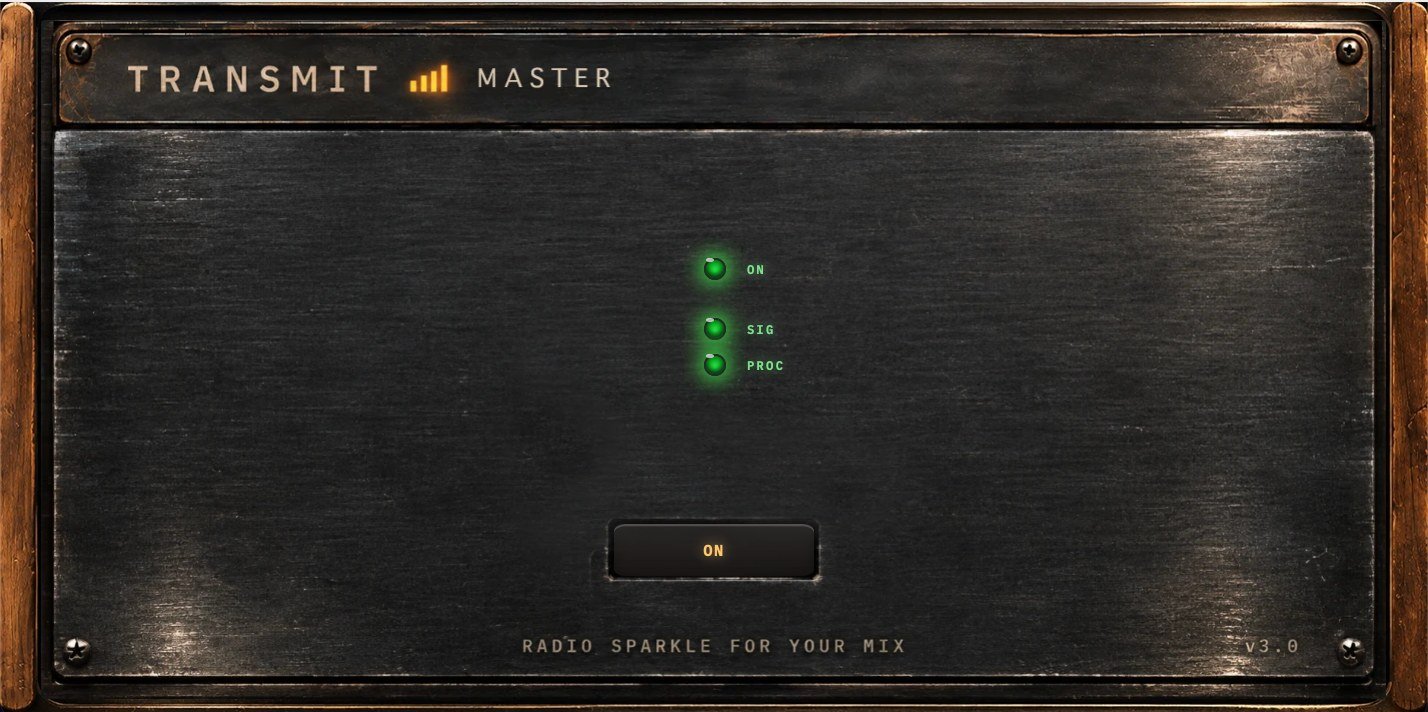
The panel has one switch, the bypass, so you can hear what it's doing. That's the whole interface.
Just drop it on your master track. That's it.
Get TRANSMIT MasterFor the tweakers. Not a must, a bonus.
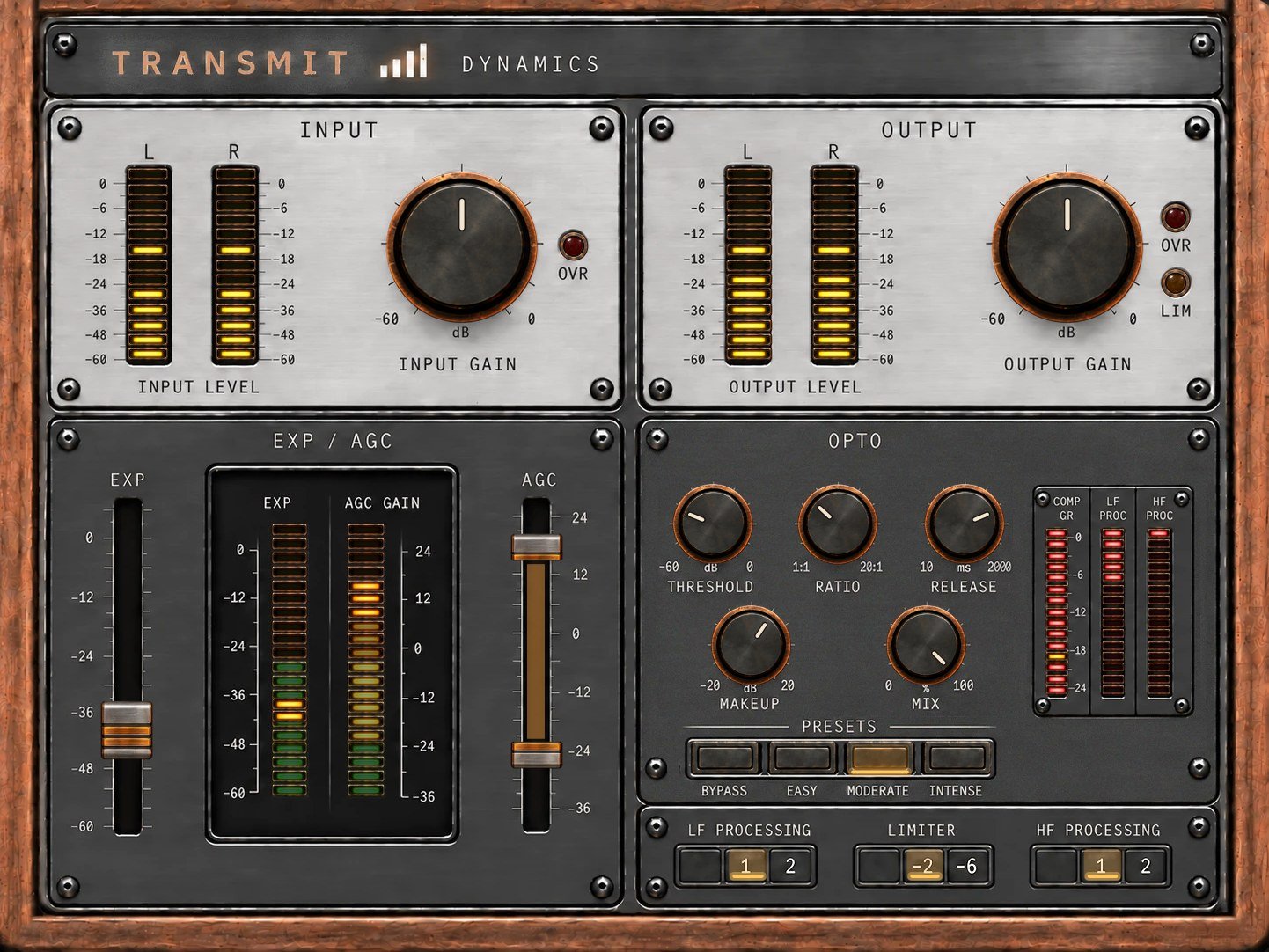
Most dynamics tools were built for music. TRANSMIT Dynamics is built for a person talking on air: an expander, an AGC, an opto compressor, and LF and HF processing tuned for that radio voice. Some of it comes from TRANSMIT's chain, some of it is new, and all of it is in your hands: threshold, ratio, release, makeup, mix. Presets from EASY to INTENSE if you'd rather start from somewhere.
You don't need it. The pack does the whole job on its own. Dynamics is for the day you catch yourself wanting to move a threshold.
Get TRANSMIT DynamicsFor the broadcasters. A whole station chain.
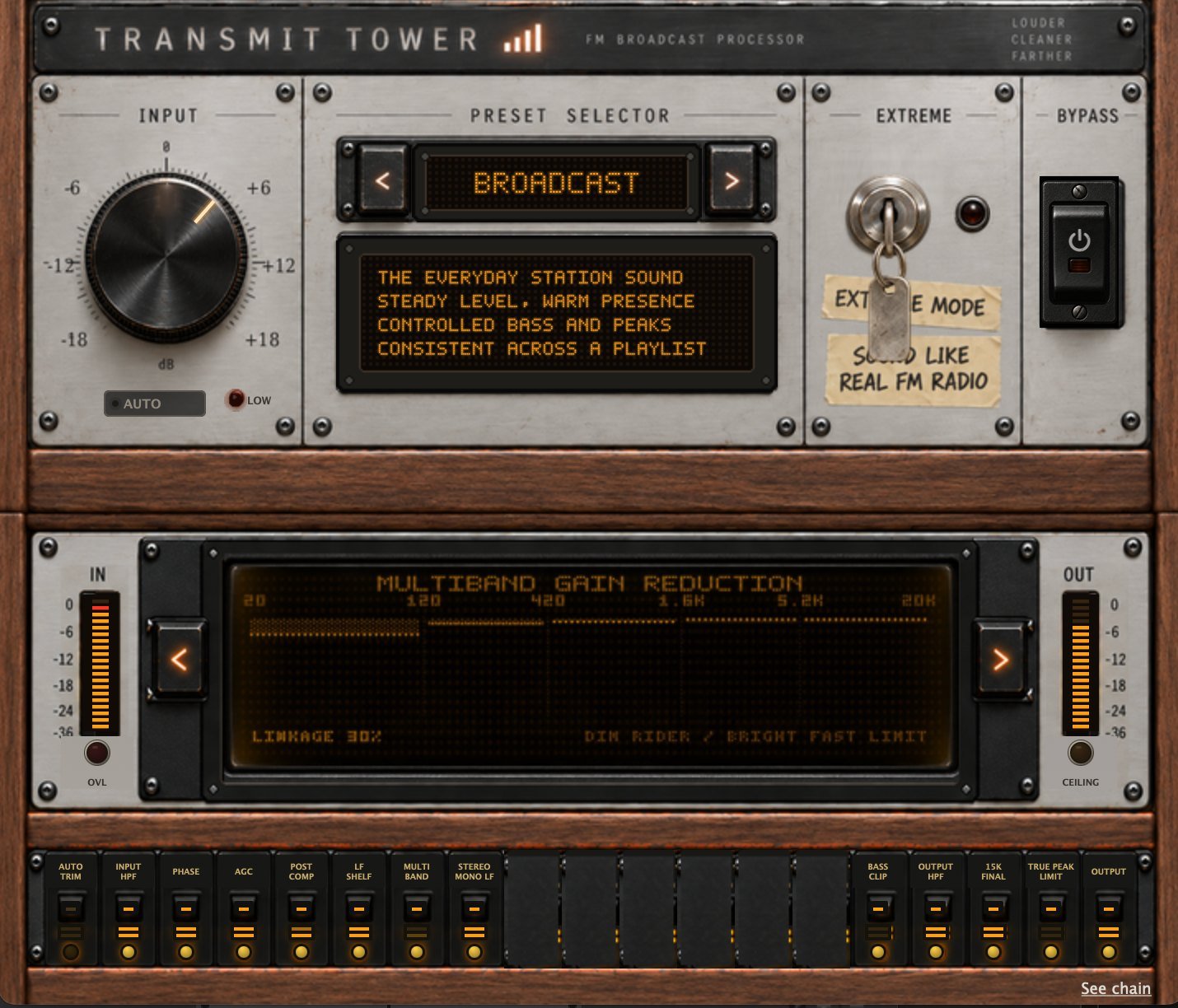
TRANSMIT Tower is the processing a radio station puts between the studio and the transmitter, for the finished programme rather than the voice. Nine presets, one input knob, and level riding, five-band control, bass shaping, stereo work, clipping and final peak control underneath. Put it last and a mixed playlist comes out sounding like one station. EXTREME runs the FM signal path itself.
There's a wiki with it too: nine chapters on how broadcast processing actually works.
Read about TRANSMIT Tower